

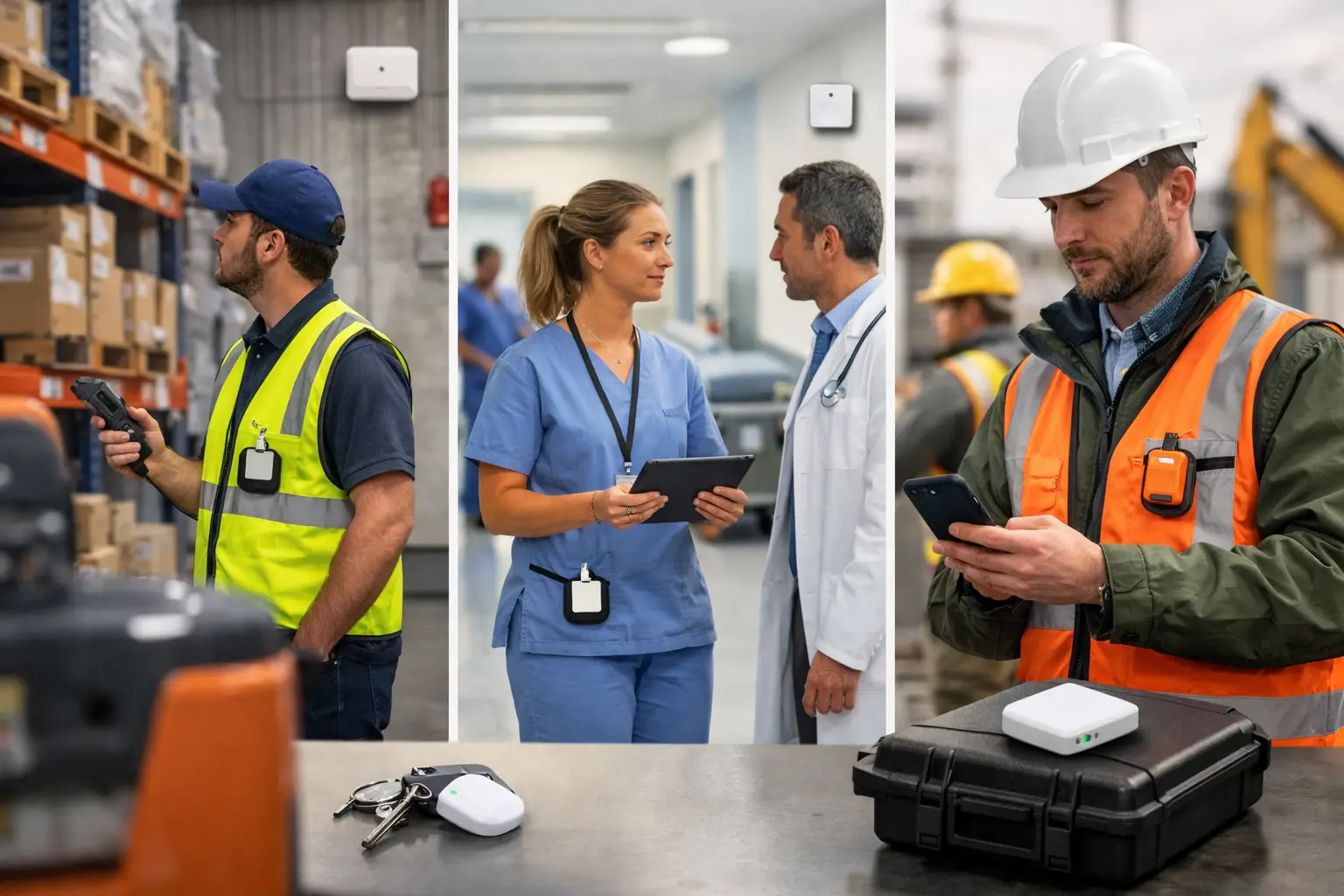
A missed lone-worker check-in, a delayed response to an SOS alert or a technician sent across site while a qualified colleague is already nearby are not software problems alone. They are location problems. A location aware workflow design guide helps operations teams turn verified presence into practical action: routing work to the right person, confirming it happened in the right place and escalating risk without waiting for someone to complete a form.
The distinction matters in complex workplaces. GPS can show a worker has arrived at a large site, but it cannot reliably establish whether they are at a particular plant room, ward, loading bay or retail back office. Equally, an attendance record does not prove a safety inspection was completed at the asset it relates to. Good workflow design connects the level of location accuracy required to the decision that must be made.
Start with the operational decision, not the map
Location data is valuable when it changes what a team can do next. Begin by identifying a decision currently delayed by uncertainty. This may be finding the nearest available responder, confirming a guard patrol, locating a mobile asset, recording attendance at a work area or checking whether a vulnerable worker has reached a safe point.
Define the workflow in plain operational terms: what event starts it, who needs to act, what location evidence is needed and what should happen if the expected condition is not met. For example, a facilities team may want a critical reactive job assigned to the nearest qualified operative. The trigger is the reported fault; the location evidence is the operative’s current area and the asset’s known location; the outcome is a dispatch instruction with a record of arrival and completion.
This approach prevents a common mistake: collecting movement data because it is available, then searching for a use for it. Each location signal should support a defined response, audit requirement or resource decision.
Choose the right location technology for the workflow
Real-time location systems, often called RTLS, use devices and infrastructure to establish where people or assets are. The appropriate technology depends on the environment, the precision needed and the action that follows.
GPS is effective outdoors and across dispersed field operations. It can support site arrival, route visibility and geofencing, which means creating a virtual boundary that triggers an event when a device enters or leaves it. It is less suitable where the workflow depends on room-level or sub-room indoor positioning.
BLE, or Bluetooth Low Energy, is commonly used for lower-power proximity and zone-based workflows. A badge or tag can be detected near a beacon or gateway, allowing teams to identify presence in a designated area. This is often appropriate for check-ins, zone access verification and broad asset finding where centimetre-level precision is unnecessary.
UWB, or ultra-wideband, is designed for high-accuracy indoor positioning in supported deployments. It is useful where a workflow needs to distinguish between closely spaced locations, such as workstations, bays, production cells or critical response zones. Sense’s UWB deployment can provide positioning accuracy of up to 10 cm, subject to the deployment environment.
Connected gateways provide the bridge between devices in the physical workplace and the software that processes events. They receive signals from badges, tags, buttons, beacons and sensors, then help create a live operational view. Environmental sensors add another layer, allowing a workflow to respond to conditions such as temperature or other monitored environmental changes.
The practical rule is simple: do not specify UWB for a workflow that only needs site-level arrival, and do not rely on a broad GPS position where a verified presence at a specific indoor location is required. Greater accuracy can require more infrastructure and planning, so it should be justified by the operational value of the decision.
Design the location-aware workflow around evidence
A useful workflow has more than a trigger and a notification. It needs a reliable chain of evidence from the physical event through to the action taken. The following design sequence keeps that chain clear.
1. Define the event and its confidence level
Events can include entering a zone, dwelling in an area for a set period, pressing an SOS button, detecting a fall, missing a scheduled check-in or moving an asset beyond an approved boundary. Specify whether the event must be immediate, whether it needs a second signal to reduce false alerts and who owns the first response.
For high-consequence safety events, speed may take priority over additional verification. For routine task proof, a combination of location, time and task status may provide a more useful record than any one signal alone.
2. Match identities to people, assets and permissions
A location point without context has limited value. The system needs to know whether a device is assigned to a worker, visitor, vehicle, tool or piece of equipment, and whether that person is trained or authorised for the task in question.
Keep assignments current. Shared badges, unreturned tags and outdated shift patterns weaken the evidence trail and can send notifications to the wrong place. Where temporary workers and contractors are common, design a clear issue, return and reassignment process from the outset.
3. Build the response path, including exceptions
Automation should reduce delay, not create an unattended alert queue. Set out who receives the alert, how it is acknowledged, when it escalates and what information the responder sees. A lone-worker SOS workflow, for instance, may need the worker’s last known location, current zone, emergency contact procedure and an escalation if no acknowledgement is recorded.
Do not assume every alert means the same thing. A worker might be in an area with limited signal, a tag battery may need attention or a planned task may legitimately take longer than usual. Exception handling is where a workable design differs from a collection of notifications.
4. Capture proof at the point of work
Proof of completion should be proportionate to the task. For a routine inspection, a time-stamped location event at the correct asset or zone may support the service record. For work with higher compliance or client requirements, teams may also need a task outcome, condition note or supervisor review.
Location evidence should complement professional judgement, not replace it. Presence at a boiler room does not confirm the quality of an inspection. It does, however, create a stronger operational record than a completion claim made remotely or at the end of a shift.
Practical workflow patterns for complex estates
The same design principles apply across sectors, but the trigger and precision level will vary. In manufacturing, an equipment fault can be routed to the nearest appropriately qualified engineer, while the engineer’s arrival at the machine area records response timing. In healthcare or social housing, a mobile worker’s scheduled check-in can be paired with an alert and escalation process if the expected event does not occur.
Facilities and hospitality teams can use zone presence to coordinate cleaning, inspections and reactive jobs across large properties. Construction teams may require site geofences outdoors, then more precise indoor or zone positioning in temporary welfare, storage or high-risk areas. Retail operators may focus on colleague assistance, stockroom asset visibility and verifying activities across multiple branches.
Sense Presence combines proprietary badges, tags, gateways, buttons, beacons and sensors with location software, allowing physical events to initiate workflows rather than relying only on self-reported records. This is particularly relevant where mobile phone-based workflows are impractical, hands are occupied or a rapid safety response is needed.
Plan deployment as an operational change
Location-aware automation is not only an IT implementation. Facilities, operations, health and safety, security, IT and workforce leaders should agree the use cases, boundaries and response ownership before devices are issued.
Survey each environment carefully. Metal, concrete, machinery, multi-floor layouts, external yards and changing site configurations can affect positioning design. Test the workflow where it will actually run, including busy periods, shift handovers, poor connectivity scenarios and emergency procedures. A pilot should test the full chain from signal to human response, not just whether a dot appears on a map.
Privacy must be designed in as well. Tell workers what is being collected, why it is necessary, who can access it and how long data is retained. Restrict location data to defined operational and safety purposes, use role-based access and avoid collecting more precision or history than the workflow requires. UK organisations should involve their data protection lead early and assess whether a data protection impact assessment is appropriate.
Measure whether the workflow is helping
Review outcomes against the original decision. Teams may examine alert acknowledgement times, task arrival and completion records, unsuccessful dispatches, asset search time, missed check-ins or the percentage of workflow events resolved without manual chasing. The right measures depend on the use case, and they should not be used to create misleading performance comparisons between workers in very different conditions.
Also review the quality of the underlying data. Repeatedly stale device assignments, unacknowledged alerts, dead zones or frequent manual overrides usually indicate a process or deployment issue worth fixing. Location systems create operational evidence, but only disciplined ownership keeps that evidence dependable.
Frequently asked questions
What is a location-aware workflow?
It is a process that uses a verified location event to trigger, guide, confirm or escalate work. Examples include sending the nearest responder to an incident, logging arrival at a service location or escalating a missed lone-worker check-in.
Does every workflow need UWB?
No. UWB is suitable when high-accuracy indoor positioning is needed. GPS may be more appropriate outdoors, while BLE can support proximity and zone-based workflows at lower precision. Select the technology based on the decision being made.
Can location data prove a task was completed?
It can provide evidence that a worker or device was at the correct location at a recorded time. For many tasks, this strengthens the audit trail. Whether it is sufficient proof depends on the task, required standard and whether additional outcome information is needed.
How should employers manage worker privacy?
Set a clear purpose, minimise collection, explain the process openly, control access and apply defined retention periods. Location data should support legitimate safety and operational requirements rather than indiscriminate monitoring.
A well-designed workflow makes location useful at the moment work needs to happen. Start with one high-friction decision, validate the evidence needed and build a response that people can trust under real operating conditions.