

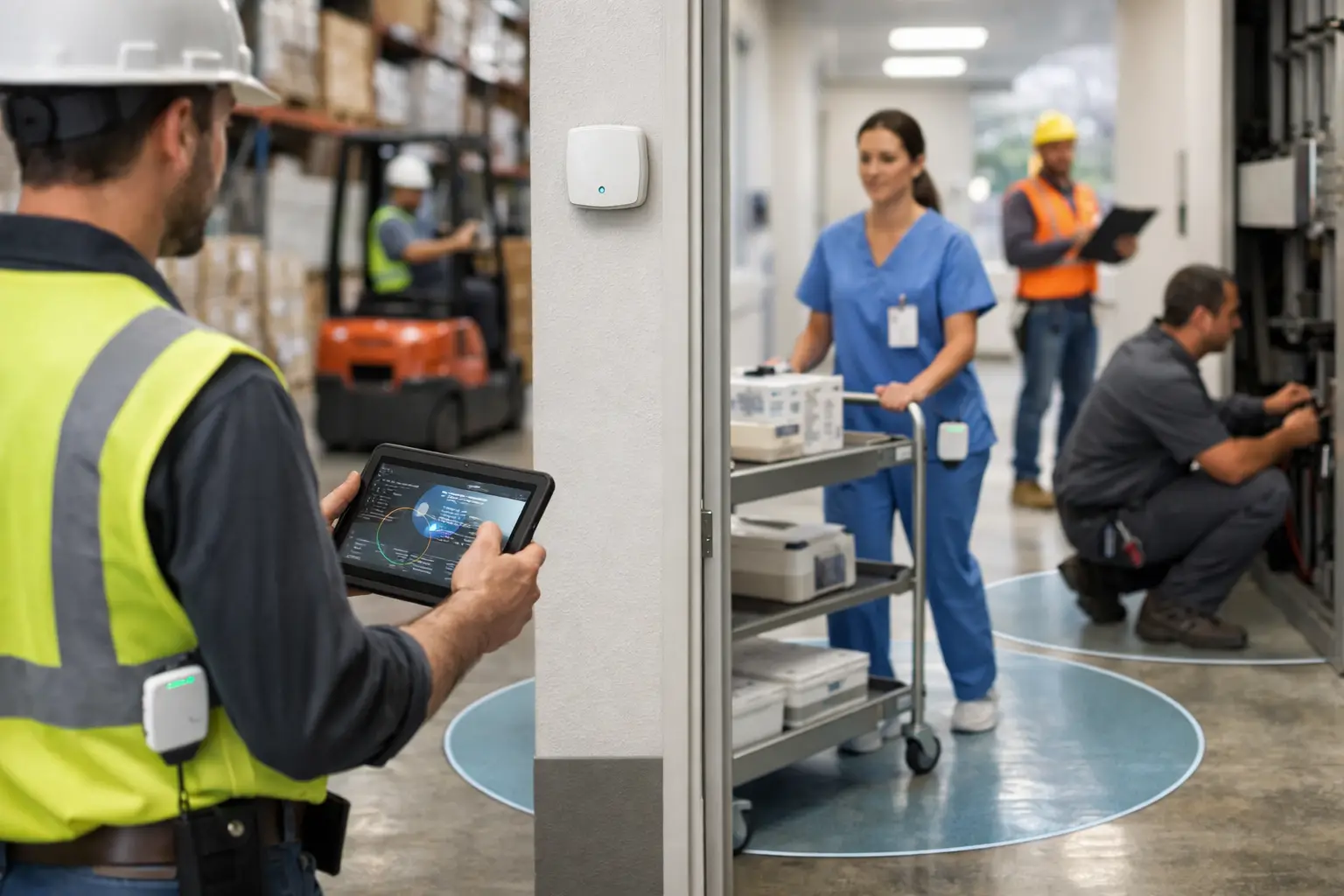
A worker presses an SOS button in a plant room. A cleaning task is completed on the correct floor. A critical asset leaves a designated area. Each event needs a response, but manual reporting creates delay, uncertainty and incomplete records. Understanding how to automate location-based workflows starts with replacing assumptions about where work happened with reliable, real-world location data.
For organisations operating across hospitals, construction projects, manufacturing sites, estates and customer locations, the objective is not to track movement for its own sake. It is to protect staff, direct the right resource to the right place, verify activity and create an audit trail without adding more forms, calls or admin.
Start with location data you can trust
A location-based workflow is an operational process triggered or informed by where a person, asset or condition is detected. The location event might be a worker entering a restricted zone, a tagged device leaving a store, a lone worker failing to check in, or an environmental sensor exceeding an agreed threshold.
The quality of automation depends on the quality of the location signal. Different environments need different technologies. GPS is effective for outdoor, field and vehicle-based activity, but does not provide dependable positioning inside buildings. Bluetooth Low Energy, or BLE, can establish presence and proximity through tags, badges, beacons and gateways. Ultra-wideband, known as UWB, is designed for highly accurate indoor positioning and can provide accuracy of up to 10 cm in supported Sense deployments.
A real-time location system, or RTLS, combines these signals with hardware, firmware, gateways and software. Gateways receive information from badges, tags, buttons, beacons and sensors, then pass it into a platform where business rules can act on it. The result is not simply a map. It is a reliable way to connect physical events to operational decisions.
Before automating anything, establish what the workflow must know. Does it need room-level presence, accurate position within a production area, confirmation that a worker reached a customer site, or only a notification when an asset passes a boundary? Designing for the required outcome avoids paying for precision where it has no operational value, while preventing weak location data from being used for safety-critical decisions.
Identify the point where work currently slows down
The strongest automation candidates are usually processes that rely on someone noticing, calling, typing or chasing. Map the current process from trigger to outcome. Include the people involved, the information they need, the expected response time and the evidence required afterwards.
Consider a facilities team responding to an urgent request. A coordinator may receive a call, identify which operative is available, estimate who is closest, make contact, then wait for a completion update. A location-aware workflow can identify qualified people in the relevant area, issue the task according to defined rules and record arrival and completion at the required location and time.
This does not mean every decision should be automated. A high-risk incident may require a control-room operator to assess the situation before dispatching support. In contrast, routine notifications, attendance events and proof-of-service records may be suitable for automatic action. The practical question is: where does automation remove avoidable delay without removing necessary human judgement?
Define triggers, rules and actions
Once the process is clear, define the workflow in three parts: the trigger, the rule and the action.
A trigger is the event detected by the physical environment. Examples include a badge entering a zone, an asset tag moving beyond a geofence, a panic button being pressed, a fall event being detected, or a sensor reporting a change in temperature or air quality.
The rule provides context. It may check whether the person is authorised for that area, whether the task is overdue, whether the asset is expected to move, or whether another worker is closer and available. This matters because location alone is not always enough. A worker may be nearest to an incident but lack the relevant training or be assigned to another critical task.
The action is what happens next: create or allocate a task, notify nominated responders, escalate an alert, log an attendance record, update an existing operational system or request a welfare check. Good workflows also specify what happens when the expected response does not occur. If an SOS alert is not acknowledged within the defined period, the workflow should escalate to the next appropriate person or team.
Use zones for meaningful operational boundaries
Geofencing creates a virtual boundary around an area. Outdoors, that could be a customer site, compound or delivery yard. Indoors, RTLS zones may represent a ward, plant room, loading bay, clean area, desk bank or evacuation point.
Zones are more useful than generic coordinates because they reflect how the organisation operates. Instead of recording that a worker was at a particular latitude and longitude, the system can record verified presence in the boiler room at 10:14. That distinction makes information actionable for supervisors, safety teams and auditors.
Zone design needs care. Boundaries should match the physical layout and the accuracy available in that location. If two work areas are separated only by a thin partition, a lower-precision technology may not reliably distinguish them. Test real conditions including metal structures, dense equipment, multiple floors and areas with limited connectivity before setting workflow rules.
Connect wearables, assets and sensors to the same picture
Location automation works best when people, equipment and environmental conditions can be considered together. A worker badge can provide presence, an SOS function and lone-worker check-ins. Asset tags can show where essential equipment is located or whether it has left an approved area. Environmental sensors can add context when site conditions create a safety or service risk.
For example, an elevated temperature reading in a technical room can generate an alert. If the response requires physical attendance, the workflow can identify an appropriate nearby engineer, issue the job and capture evidence that they attended the room. The automation is more useful than a sensor alert alone because it links detection, response and proof of work.
This is where proprietary hardware and firmware matter. Software cannot create dependable physical-world data if it is dependent on inconsistent mobile phone location, manual updates or forms completed after the event. Sense Presence brings together badges, gateways, tags, beacons, buttons and sensors with location-aware software, providing the events from which workflows can be built.
Build for safety, proof and operational exceptions
Location workflows should make normal work easier, but their greatest value often appears when something is wrong. Safety workflows need clear escalation paths, defined responsibilities and testing under realistic conditions. An alert sent to an unattended inbox is not an emergency response process.
For lone workers, define the check-in cadence, missed-check-in logic, SOS route and fallback action. Consider where staff work, whether mobile coverage is available, and whether indoor accuracy is required to guide responders to the correct area. Health and safety teams should be involved from the beginning, particularly where a workflow supports incident response or vulnerable workers.
Proof-of-completion workflows also need a clear standard. Arrival in a zone may demonstrate attendance, but it may not prove that a complex task was completed to the expected quality. Pair location and time data with the appropriate operational evidence, such as a checklist outcome, status update or supervisor review. The right evidence depends on the task and its risk.
Put privacy and governance into the workflow design
Workplace location data is sensitive because it relates to identifiable people and their activities. The UK GDPR and data protection requirements should be considered before deployment, not after. Organisations need a defined purpose, proportionate collection, appropriate retention periods, access controls and clear communications with workers.
Be specific about when location is collected and why. A system designed to protect a lone worker during a shift should not quietly become a tool for continuous performance monitoring. Separate safety, operational and employment-management use cases where necessary, and involve data protection, HR, employee representatives and safety stakeholders early.
Governance also improves data quality. Assign owners for zone definitions, device management, escalation contacts and workflow changes. If a department moves, an emergency contact changes or a storage area is repurposed, the location model and rules must be updated. Automation is only dependable when it reflects the real workplace.
Measure whether the workflow is working
Do not judge success by the number of alerts generated. Measure whether the process is producing a better operational outcome. Depending on the use case, this may include response times, unacknowledged alerts, task arrival and completion records, time spent searching for assets, zone breaches, missed check-ins or exceptions requiring manual intervention.
Review false alerts and missed events as carefully as successful automations. Too many notifications cause alert fatigue; too few may indicate that a rule is too narrow or that infrastructure needs adjustment. A staged rollout in one area or site gives teams time to validate positioning, refine zones and gain staff feedback before expanding.
Frequently asked questions
What is the difference between RTLS and GPS?
GPS uses satellite signals and is generally suited to outdoor location. RTLS uses technologies such as UWB, BLE, gateways and tags to provide location and presence information in workplaces, including indoor areas where GPS is limited.
Can location-based workflows automate emergency response?
They can support faster response by sending an SOS or fall event to nominated responders, showing the reported location and escalating if an alert is not acknowledged. They should complement, not replace, documented emergency procedures and trained human judgement.
Does every workflow need UWB accuracy?
No. UWB is appropriate where highly accurate indoor position is required, such as distinguishing between nearby work areas or locating a person rapidly. BLE, GPS or zone-based presence may be sufficient for broader area awareness, outdoor activity or lower-risk processes.
How can organisations use location data fairly?
Use it for a defined and communicated operational purpose, collect only what is necessary, control access and set retention rules. Workers should understand what is collected, when it is collected and how it supports safety or service delivery.
The best location-based workflow is rarely the one with the most rules. It is the one that gives a worker or manager the right prompt at the point where uncertainty would otherwise slow action, compromise safety or leave work unverified.