

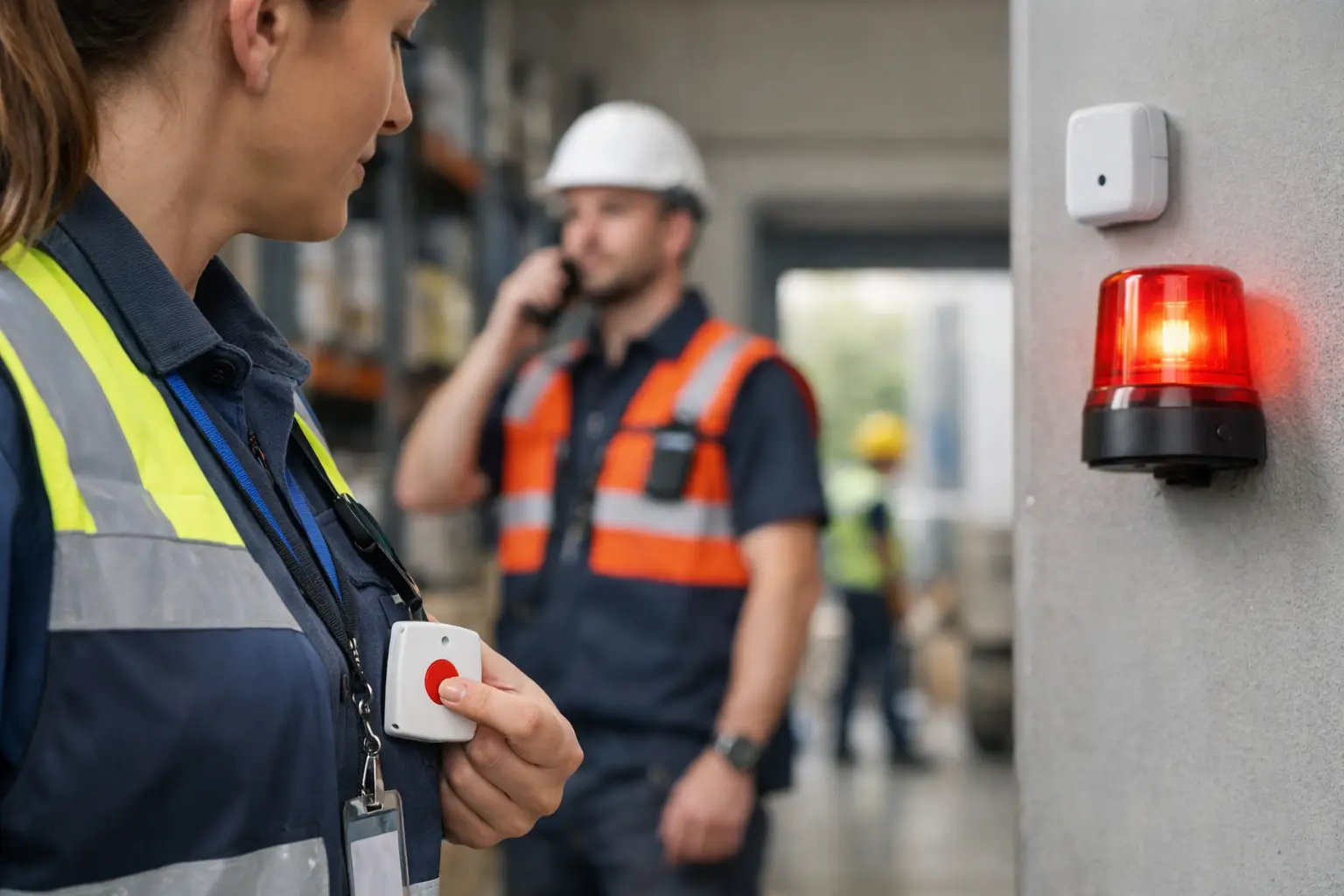
A worker presses a panic button in a plant room, on a hospital ward or at a remote customer site. The operational question is not simply whether an alarm has been raised. It is who needs to respond, where the person is, how confident the location is, and whether help has arrived. An SOS alert system for employees should answer those questions quickly, without relying on a worker to explain their location under pressure.
For organisations with deskless teams, dispersed estates or complex indoor environments, this is a location problem as much as a communications problem. A phone call can be missed, a radio message can be unclear, and a fixed wall-mounted alarm only helps when the person can reach it. A well-designed employee SOS system connects a wearable or button to real-time location data and an agreed response process.
What is an SOS alert system for employees?
An SOS alert system is a worker safety arrangement that lets an employee request immediate assistance. The trigger may be a button on a badge, a dedicated wearable, a mobile device or, in some cases, an automatic event such as detected inactivity or a fall. It sends an alert to the people responsible for responding.
The value depends on the context attached to the alert. At a minimum, responders need the worker’s identity, the time and their most recent location. In a larger site, the system may also show the floor, zone, nearby access point, assigned team or a map position. This replaces the uncertain instruction to “meet me near the back entrance” with an actionable incident record.
An SOS alert is not a substitute for a risk assessment, staffing plan or emergency procedure. It is a practical layer that can help safety, security and operations teams act on those arrangements when a worker needs help.
Why location accuracy changes the response
Location requirements differ sharply between environments. GPS is useful outdoors, across construction sites, estates and field operations, but it is generally not the right tool for pinpointing somebody inside a multi-storey building. Indoor positioning needs infrastructure designed for the site.
Real-time location systems, often called RTLS, establish the position of people or assets in a defined area. BLE, or Bluetooth Low Energy, can support lower-cost zone-based visibility and proximity use cases. It may be sufficient to identify that someone is in a particular wing, store or work area. UWB, or ultra-wideband, is designed for higher-precision indoor positioning. In supported UWB deployments, Sense can provide positioning accuracy of up to 10 cm.
That distinction matters when an incident happens in a place with many rooms, similar corridors or restricted areas. A response team may only need zone-level information to check a small retail unit. A large manufacturing facility, hospital or warehouse may require much more precise positioning to direct responders safely to the right location.
Gateways are the fixed devices that receive signals from badges, tags or buttons and pass information into the platform. Beacons can define locations or zones, while GPS can contribute outdoor position data. Together, these components allow a safety alert to move from a physical button press to a visible operational event.
From button press to managed response
The trigger itself is only one part of the design. A useful system records the event and presents it to the right response team through a clear workflow. Depending on the organisation, that could be security, a ward manager, a site supervisor, a facilities helpdesk or an on-call colleague.
A practical workflow usually establishes who receives the first alert, how receipt is acknowledged, when it escalates if nobody responds and how the incident is closed. The process should also retain an audit trail showing the alert time, acknowledgements and response activity. That supports incident review without asking staff to reconstruct events from memory.
Location-aware automation can make this more targeted. For example, an alert from a lone engineer can be directed to the nearest authorised responder rather than a generic group. An incident in a controlled zone can prompt security and the relevant local manager. A task can be created for follow-up after the immediate response has ended.
This is where hardware and software need to operate as one system. A badge must be practical for staff to carry or wear. Its firmware needs to communicate reliably with the surrounding gateways. The platform needs to turn a signal into a location, an alert and a workflow that a real team can use. Software-only tools often rely on a person opening an app, completing a form or accurately reporting their position. Those approaches have a place, but they are weaker where hands-free, rapid or indoor location-aware alerting is required.
Choose the technology around the risk
There is no universal best device or positioning method. The appropriate design follows the risk, site layout, response model and operating conditions.
For a care worker visiting homes, GPS-enabled location and a check-in process may be the sensible focus. For a maintenance team across a campus, a wearable SOS button combined with indoor and outdoor coverage may provide better continuity. In a factory with machinery, noise and restricted zones, a badge that can be activated quickly and accurately located inside the building may be more appropriate than asking workers to use a handset.
Fall detection can add another route to an alert, particularly for lone workers or roles with elevated physical risk. It should be assessed carefully, however. Automatic detection may produce false alarms from normal movement, while a worker in difficulty may not always fall. Treat it as an additional safety control, not a guarantee of incident detection.
The same principle applies to geofencing. A geofence is a virtual boundary around a physical place. It can support alerts when a person enters, leaves or remains in a defined area, but the boundary needs to match the accuracy of the underlying location technology. A broad outdoor boundary is different from a precise indoor exclusion zone.
Deployment questions that shape performance
An SOS system should be planned as an operational service, not installed as a standalone device estate. Before selecting technology, map where employees work, where signal coverage is needed, what happens inside and outside buildings, and who is expected to respond at different times.
Indoor surveys are especially valuable where accuracy matters. Building materials, layout, floor levels, machinery and changing operational areas can influence radio performance. Gateways and beacons need considered placement, while badge wear position and battery management also affect day-to-day reliability.
Teams should test realistic incidents rather than only confirming that a button creates a notification. Can an alert be received during a busy shift? Does the map identify the correct floor or zone? Can responders access the location from the device they use on duty? What happens if a gateway is offline, a badge battery is low or the first responder does not acknowledge?
Training should be concise and repeated. Employees need to know when to activate SOS, what to expect after activation and how to report device issues. Responders need a rehearsed process, including when to call emergency services and when to escalate internally. Testing also helps distinguish a system that technically works from one that supports a dependable response.
Privacy, trust and proportionate data use
Workplace location data can strengthen safety and verification, but it must be deployed with a defined purpose and clear governance. Staff are more likely to trust an SOS arrangement when the organisation explains what data is collected, when it is collected, who can see it, how long it is retained and how it will be used.
For UK organisations, location processing should be considered through the organisation’s data protection responsibilities and informed by ICO guidance. The appropriate approach will depend on the use case. Tracking a lone worker during a shift to protect them is materially different from collecting continuous location data without a clear operational need.
Keep the design proportionate. Limit access to people with a genuine role in safety or operations, set retention periods that support the stated purpose, and document the reasoning. Consultation with workers, managers and relevant representatives can surface practical concerns early, such as badge comfort, accessibility and the handling of accidental activations.
Where an SOS platform adds wider operational value
The same location infrastructure can support more than emergency alerts. A badge may provide verified presence at a work area, help allocate a task to the nearest suitable colleague or provide time-and-location evidence that a service visit was completed. Tags can help teams find mobile equipment, while environmental sensors can bring conditions such as temperature or air quality into the same operational picture.
That does not mean every organisation should deploy every capability. A focused safety deployment may be the right starting point. But selecting proprietary hardware, firmware and a platform that can connect physical events to workflows reduces the need to build separate systems as requirements develop. Sense Presence combines badges, gateways, tags, beacons, buttons and sensors with location-aware software to create this form of real-world operational data.
Frequently asked questions
Does an SOS button work without GPS?
Yes. GPS is mainly useful outdoors and may not provide dependable indoor position. Indoor SOS systems can use BLE, UWB and gateways to determine a worker’s zone or more precise location within a building.
What happens after an employee triggers SOS?
The system should notify the designated responders with the worker’s identity, alert time and location information. The exact process should define acknowledgement, escalation and incident closure, including any emergency-services procedure.
Is UWB necessary for employee safety alerts?
Not always. BLE zone-level visibility may be enough for smaller or simpler sites. UWB is more relevant when responders must locate somebody accurately in a large, dense or multi-floor indoor environment.
Can SOS alerts support lone workers?
Yes. A wearable alert, location visibility and agreed escalation process can support lone-worker arrangements. The system should be assessed alongside the task risk, communications coverage, check-in requirements and the availability of responders.
The strongest SOS arrangements make the next action obvious: a worker can ask for help quickly, and the right people can find them with the information needed to respond.